Addon status monitoring is here
We now automatically monitor the uptime of every approved addon.
by sleeyax
"Is it down?" is probably one of the most frequently asked questions on r/StremioAddons. No wonder a status page has been your most requested feature for a long time. We've been working on a (mostly) bullet-proof system since the summer and are happy to finally release it today.
Last year we added problem reports, so you could see whether other people had reported any downtime. This reporting functionality was quite limited, though, as it only worked when someone else took the time to submit a report.
So we built a system that checks every addon for you. Around the clock, it tests every approved addon on the site the way you would use it in Stremio: it picks a real movie or series and asks the addon for streams, or for catalogs, metadata or subtitles, depending on what the addon does. An addon only passes when it gives you something you can actually use, not just when it's online.
You can find the result on every addon's page, and an overview of all addons on our new status page at status.stremio-addons.net.
New addon uptime checks
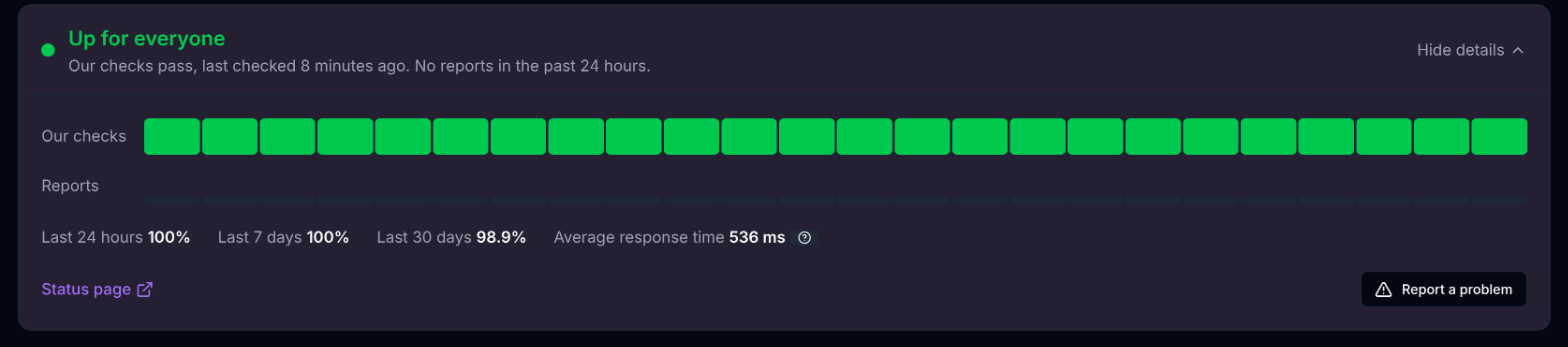
Every addon page now includes a status row. We combined these checks with the community problem reports: the separate Problem Reports section that used to sit at the bottom of the page has moved into this row. Instead of two signals in two places, you get one answer based on both:
- Up for everyone: our checks pass and nobody reported a problem.
- Up, but some people report problems: our checks pass, but people are reporting problems. It may only affect some users or some titles.
- Down for everyone: our checks are failing.
Click Show details to see the addon's most recent checks, community reports from the past 24 hours, and its uptime over the last 24 hours, 7 days and 30 days. Hover over (or tap) a check to see exactly what was tested and what went wrong. The Report a problem button moved along with the reports, so you can still let others know when an addon doesn't work for you.
How the checks work
Most status pages only check whether an addon's manifest.json responds.
That misses the most common failure: the addon is online, but returns no streams.
You install it, open a movie, and get nothing.
So instead of pinging the manifest, we use each addon the way a real Stremio user would. At regular intervals, for every approved addon:
- We pick a real title, from the addon's own catalogs or a well-known movie or series.
- We ask the addon for what it advertises: streams, catalogs, metadata or subtitles.
- For streams, we check that the links actually open, so a list of dead or expired links doesn't count as working.
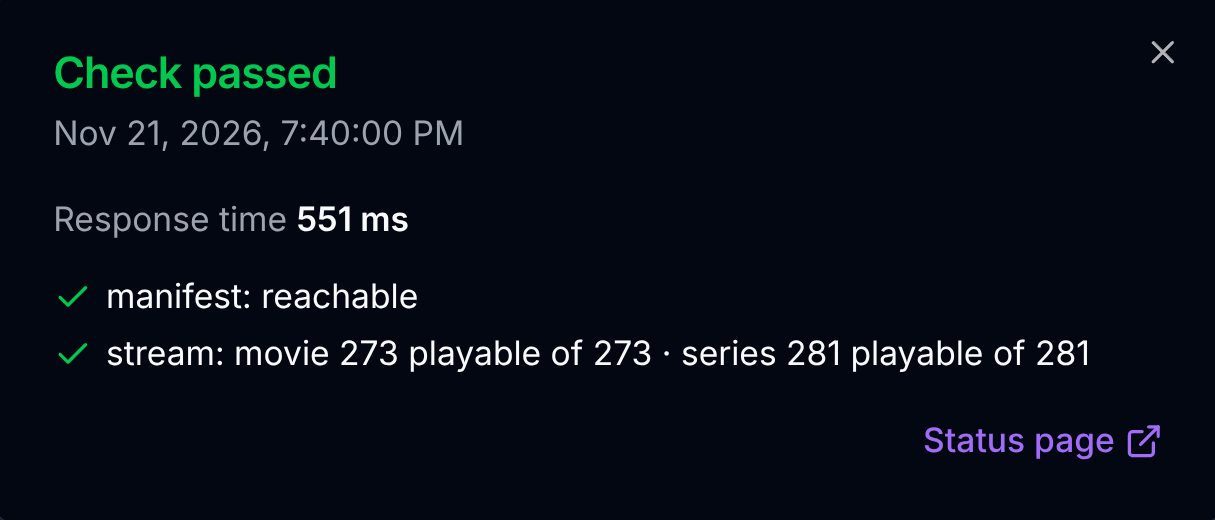
Each addon is checked for what it's built to do. A stream addon is judged on its streams, a catalog addon on its catalogs, a subtitles addon on its subtitles.
We also went to great lengths to avoid marking a working addon as down:
- Two routes. Every request is tried through two different networks. An addon is only down when it can't be reached from both, not when it happens to block one of them.
- Placeholders aren't content. A "please configure me" message, a donation tile or the same fake stream for every title doesn't make an addon look healthy.
- Addons that need setup aren't down. If an addon only works after you configure it, the check says so instead of reporting it as down.
- Things that may work for you don't count. Geo blocks, captchas, rate limits and timeouts on stream links can depend on where you are, so they never mark an addon as down on their own.
The checks never touch debrid services or anything else that could act on someone's account.
For addon developers
Your addon's status page shows every check with the requests we made, how long they took and why a check failed. Use the Status page link in the status row on your addon's page to find it.
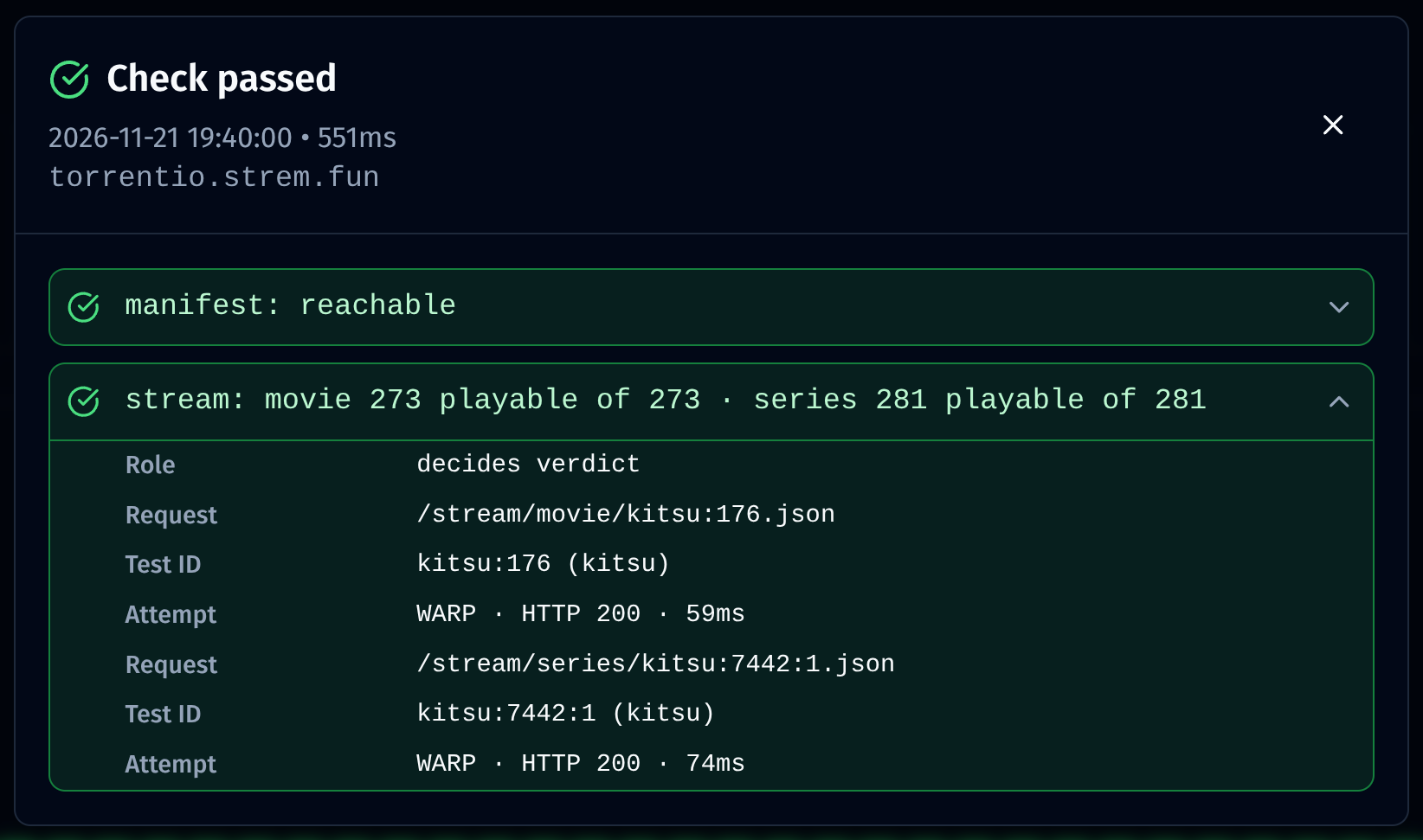
Notes marked as informational, such as Stremio Web not being able to read your addon's answers, are worth fixing but don't affect your addon's status.
You can show your addon's status in your README with a badge. Copy the key from the end of your status page URL and use it in:
https://status.stremio-addons.net/api/v1/endpoints/<key>/health/badge.svg
https://status.stremio-addons.net/api/v1/endpoints/<key>/uptimes/7d/badge.svg
If you think your addon is marked down incorrectly, please let us know so we can improve the checks.
What's next
Now that we know which addons actually work, we're doing a big cleanup next to remove dead addons from the site. After that, we'll put systems in place that automatically hide addons with prolonged downtime from the catalog, so it stays full of addons you can actually use.
We also plan to release the status checker as open source, so you can self-host it if you prefer.